Shenzhen Xinchitai Technology Co., Ltd.
News

How to Choose the Right M.2 SATA SSD for Faster, More Reliable Storage?

2026-06-03 0 Leave me a message

Modern computers demand fast, stable, and efficient storage solutions. Whether you are upgrading an aging laptop, building a compact workstation, or improving system responsiveness, an M.2 SATA SSD can provide a significant boost in performance compared to traditional hard drives. However, many buyers struggle to understand compatibility requirements, capacity options, performance specifications, and long-term reliability.

This guide explains everything you need to know about selecting the right M.2 SATA SSD, avoiding common purchasing mistakes, and maximizing storage performance for both personal and business applications.

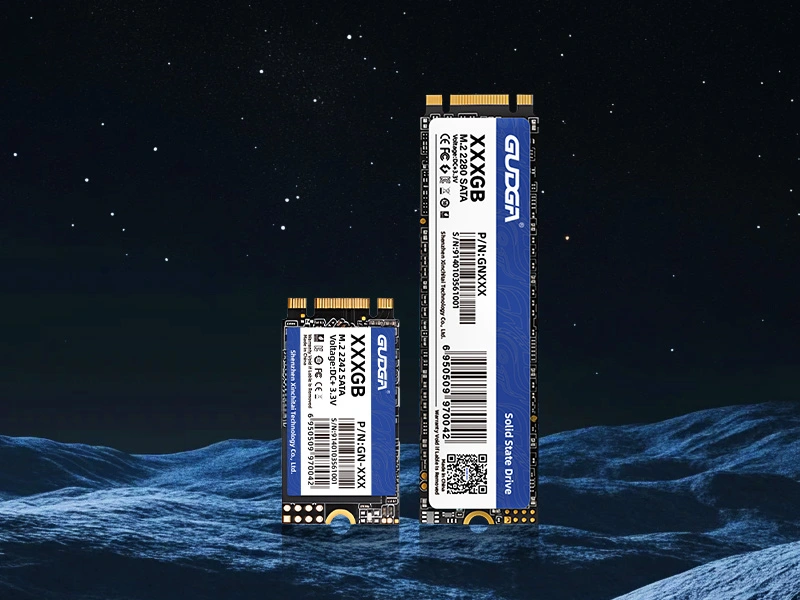
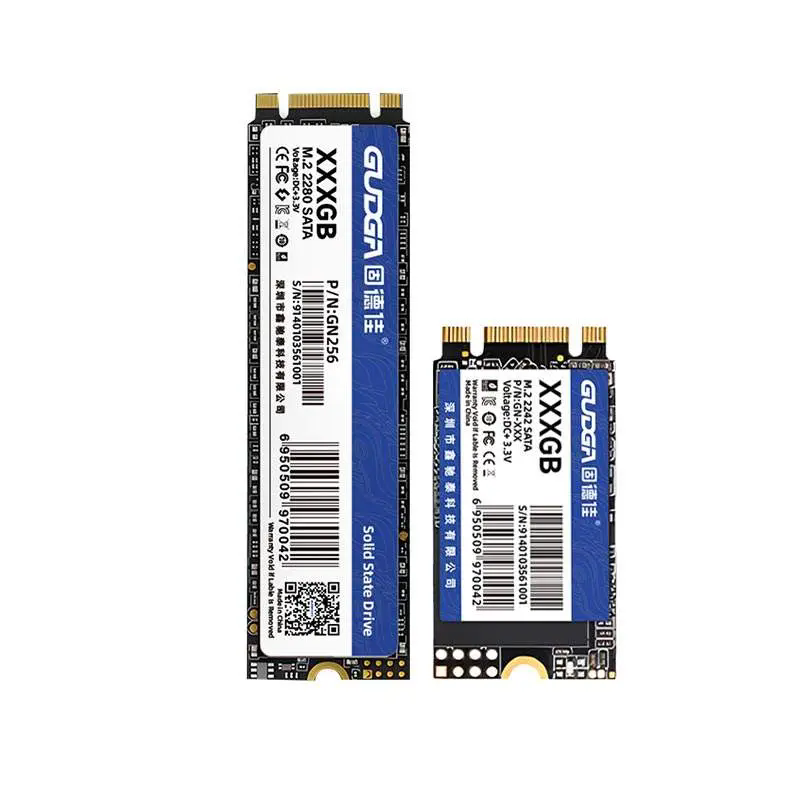
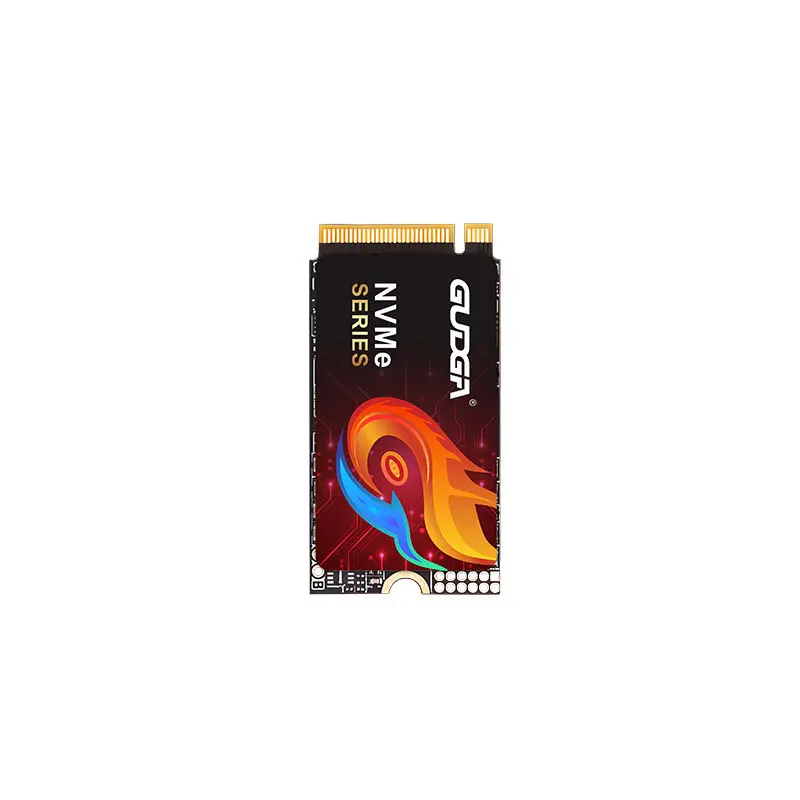
M.2 2242 SATA SSD

Article Summary

An M.2 SATA SSD offers faster boot times, quicker application launches, lower power consumption, and improved durability compared to traditional HDDs. Understanding interface compatibility, storage capacity, endurance ratings, and intended usage scenarios is essential before purchasing. This article provides practical guidance to help users choose the best solution for their systems.


Table of Contents


What Is an M.2 SATA SSD?

An M.2 SATA SSD is a solid-state storage device that uses the compact M.2 form factor while communicating through the SATA interface. Unlike traditional 2.5-inch SATA SSDs that require additional cables, M.2 SATA SSDs connect directly to the motherboard through an M.2 slot, creating a cleaner and more space-efficient installation.

These drives typically offer read speeds of up to 550 MB/s and write speeds approaching the maximum limitations of the SATA protocol. They are widely used in laptops, mini PCs, industrial computers, embedded systems, and compact desktop builds.

Feature M.2 SATA SSD Traditional HDD
Boot Speed Very Fast Slow
Noise Level Silent Audible
Power Consumption Low Higher
Shock Resistance Excellent Limited
Physical Size Compact Larger

Why Upgrade to an M.2 SATA SSD?

Many users upgrade because traditional storage devices create performance bottlenecks. Replacing an HDD with an M.2 SATA SSD can dramatically improve overall system responsiveness.

  • Faster operating system startup
  • Reduced application loading times
  • Improved multitasking performance
  • Lower energy consumption
  • Greater durability due to no moving parts
  • Compact installation without SATA cables
  • Reduced heat generation

For business users, shorter loading times translate into increased productivity and less downtime. For consumers, the result is a smoother and more enjoyable computing experience.


M.2 SATA SSD vs NVMe SSD

One of the most common sources of confusion is the difference between M.2 SATA SSDs and NVMe SSDs. Although both use the same physical M.2 form factor, they use different communication protocols.

Specification M.2 SATA SSD NVMe SSD
Interface SATA PCIe
Typical Read Speed Up to 550 MB/s Up to 7000+ MB/s
Cost More Affordable Generally Higher
Compatibility Broad Requires NVMe Support
Power Efficiency Excellent Good

For office computing, web browsing, industrial applications, and everyday business tasks, an M.2 SATA SSD often delivers excellent value and performance without the additional cost associated with high-end NVMe solutions.


Key Factors When Choosing an M.2 SATA SSD

Selecting the right drive involves more than simply comparing prices.

1. Capacity Requirements

Choose a capacity that aligns with your workload. Running out of storage too quickly can negatively impact productivity and performance.

2. Read and Write Performance

Although SATA SSDs are limited by the SATA interface, performance can still vary among manufacturers. Higher-quality controllers and NAND flash can provide more consistent speeds during heavy workloads.

3. NAND Flash Type

  • SLC: Highest durability and performance
  • MLC: Excellent balance of endurance and speed
  • TLC: Most common for mainstream applications
  • QLC: Higher capacity at lower cost

4. Endurance Rating

Check the TBW (Terabytes Written) specification. A higher TBW rating generally indicates better long-term durability for frequent data writing tasks.

5. Reliability and Quality Control

Choosing a trusted manufacturer helps ensure stable firmware, consistent performance, and dependable product quality.


How Much Storage Capacity Do You Need?

User Type Recommended Capacity
Basic Office Users 128GB – 256GB
Students 256GB – 512GB
Business Professionals 512GB – 1TB
Content Creators 1TB – 2TB
Industrial Applications Application Dependent

When possible, choose slightly more capacity than your current needs. This provides room for future software updates, larger files, and growing data requirements.


How to Check Device Compatibility

Before purchasing an M.2 SATA SSD, verify the following:

  • Motherboard includes an M.2 slot
  • M.2 slot supports SATA protocol
  • Correct physical length is supported (2242, 2260, 2280, etc.)
  • BIOS supports SSD booting
  • Available operating system support

Many users mistakenly assume every M.2 slot supports both SATA and NVMe drives. This is not always true. Always consult the motherboard or laptop specifications before making a purchase.


Common Application Scenarios

M.2 SATA SSDs are widely used across numerous industries and environments.

  • Business laptops
  • Point-of-sale systems
  • Industrial computers
  • Medical equipment
  • Digital signage systems
  • Embedded computing platforms
  • Home office workstations
  • Educational devices

Their combination of compact size, reliability, and stable performance makes them particularly suitable for systems where space and efficiency are important considerations.


Common Buying Mistakes to Avoid

Avoiding these common mistakes can save time and money:

  • Confusing M.2 SATA with NVMe SSDs
  • Ignoring motherboard compatibility
  • Selecting insufficient storage capacity
  • Choosing solely based on price
  • Overlooking endurance specifications
  • Failing to consider future expansion needs
  • Not verifying warranty coverage

A careful evaluation before purchase ensures better long-term satisfaction and system reliability.


Tips to Extend SSD Lifespan

Although SSDs require less maintenance than hard drives, several best practices can help maximize their service life.

  • Maintain available free storage space
  • Enable TRIM support
  • Update firmware when recommended
  • Avoid unnecessary write-intensive tasks
  • Use reliable power protection
  • Keep regular backups of important data

Proper maintenance helps preserve performance consistency and data integrity throughout the drive's operational lifespan.


Frequently Asked Questions

Q1: Is an M.2 SATA SSD faster than a traditional hard drive?

Yes. An M.2 SATA SSD can be several times faster than a conventional HDD, significantly improving boot times and application responsiveness.

Q2: Can I replace a 2.5-inch SATA SSD with an M.2 SATA SSD?

Yes, provided your motherboard or laptop includes an M.2 slot that supports SATA-based drives.

Q3: Does every M.2 slot support SATA SSDs?

No. Some M.2 slots only support NVMe drives, while others support both SATA and NVMe. Always verify system specifications.

Q4: What is the most popular capacity option?

512GB and 1TB models are currently among the most popular choices due to their balance of storage space and affordability.

Q5: Are M.2 SATA SSDs suitable for industrial applications?

Yes. Many industrial systems use M.2 SATA SSDs because of their compact form factor, durability, low power consumption, and reliable performance.


Conclusion

Choosing the right M.2 SATA SSD involves evaluating compatibility, storage capacity, endurance, performance, and application requirements. While NVMe solutions attract attention with higher benchmark numbers, M.2 SATA SSDs continue to offer an outstanding combination of reliability, affordability, efficiency, and compatibility for a wide range of computing environments.

For organizations and individuals seeking dependable storage solutions, selecting a high-quality product from an experienced manufacturer can make a substantial difference in long-term performance and system stability.

GUDGA specializes in professional storage solutions, including high-performance M.2 SATA SSD products designed for consumer, commercial, and industrial applications. If you are looking for reliable SSD solutions tailored to your project requirements, contact us today to discuss your needs, receive expert recommendations, and discover how GUDGA can help optimize your storage performance.

Related News
Leave me a message
X
We use cookies to offer you a better browsing experience, analyze site traffic and personalize content. By using this site, you agree to our use of cookies.Privacy Policy
RejectAccept