Shenzhen Xinchitai Technology Co., Ltd.
News

How Can DDR5 UDIMM RAM 5600MHz 6000MHz Upgrade Memory for Desktop Transform Your PC Performance

2026-11-04 0 Leave me a message

Article Summary: Desktop performance increasingly depends on memory bandwidth, capacity, and operational stability. GUDGA provides DDR5 UDIMM RAM 5600MHz 6000MHz Upgrade Memory for Desktop, designed to meet the requirements of modern gaming computers, professional workstations, office systems, and commercial computing equipment. Featuring DDR5 dual-subchannel architecture, On-Die ECC, integrated PMIC power management, and support for Intel XMP 3.0 and AMD EXPO technologies, this memory solution offers a practical upgrade path for users seeking improved computing efficiency. This guide explores its technical characteristics, performance advantages, compatibility considerations, and purchasing factors to help businesses and PC builders make informed decisions.

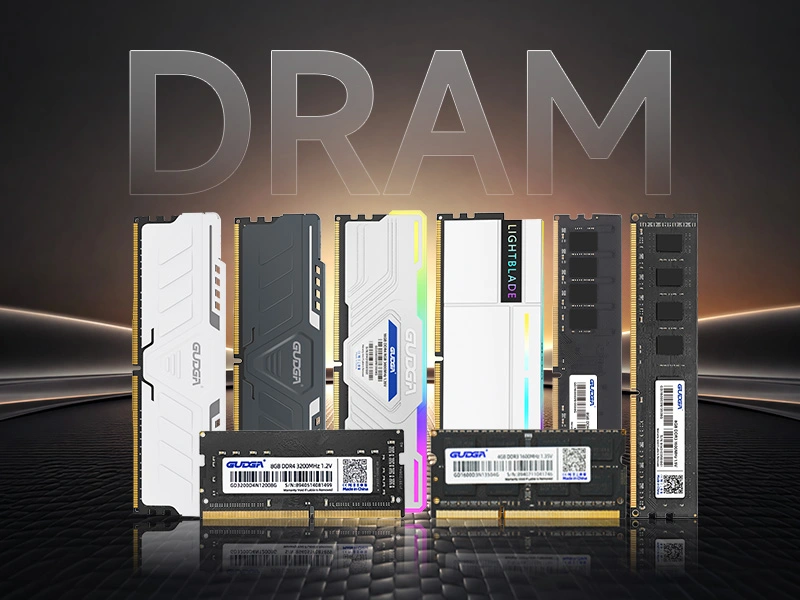
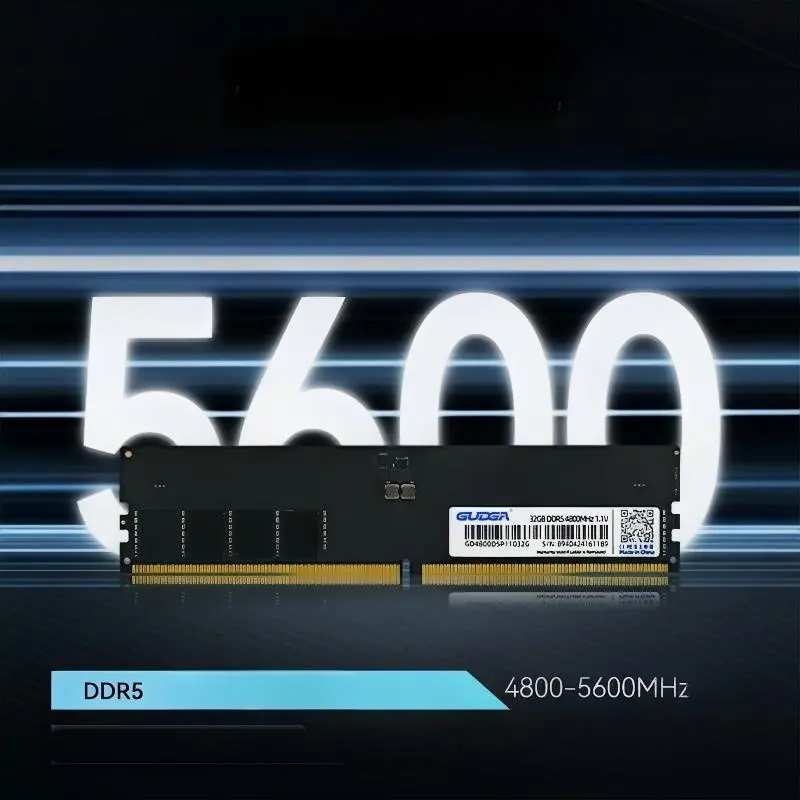
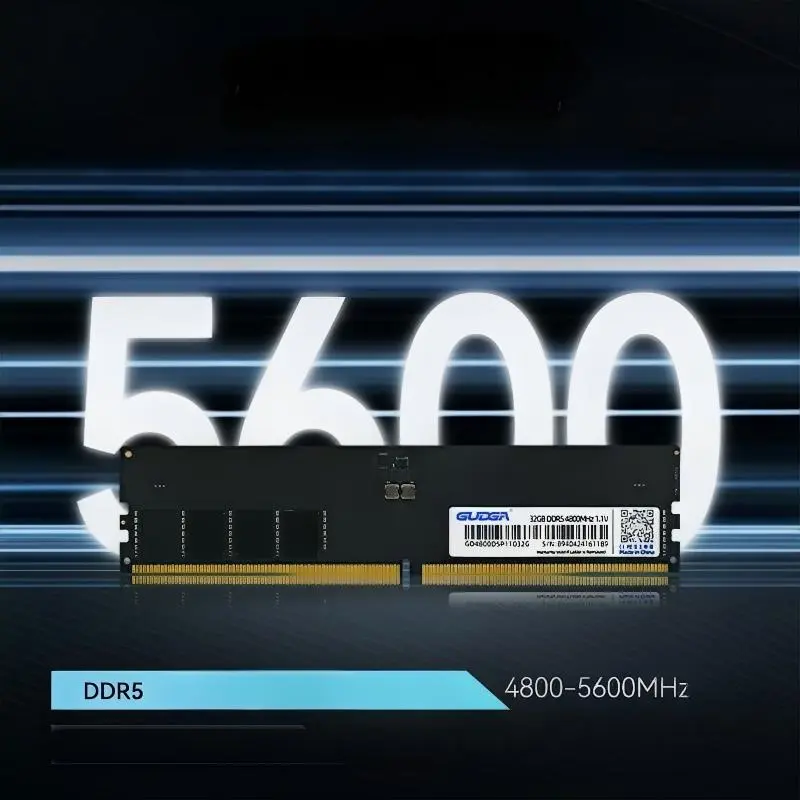
DDR5 UDIMM RAM 5600MHz 6000MHz Upgrade Memory for Desktop

Table of Contents


1. What Is DDR5 UDIMM Desktop Memory?

DDR5 is the fifth generation of Double Data Rate synchronous dynamic random-access memory. It represents a significant advancement over DDR4, offering higher data transfer rates, improved power management, and an updated internal architecture.

UDIMM stands for Unbuffered Dual In-Line Memory Module. It is a standard memory format widely used in desktop computers, gaming PCs, and many workstation platforms. Unlike registered server memory, UDIMM modules communicate directly with the system memory controller without an additional register buffer.

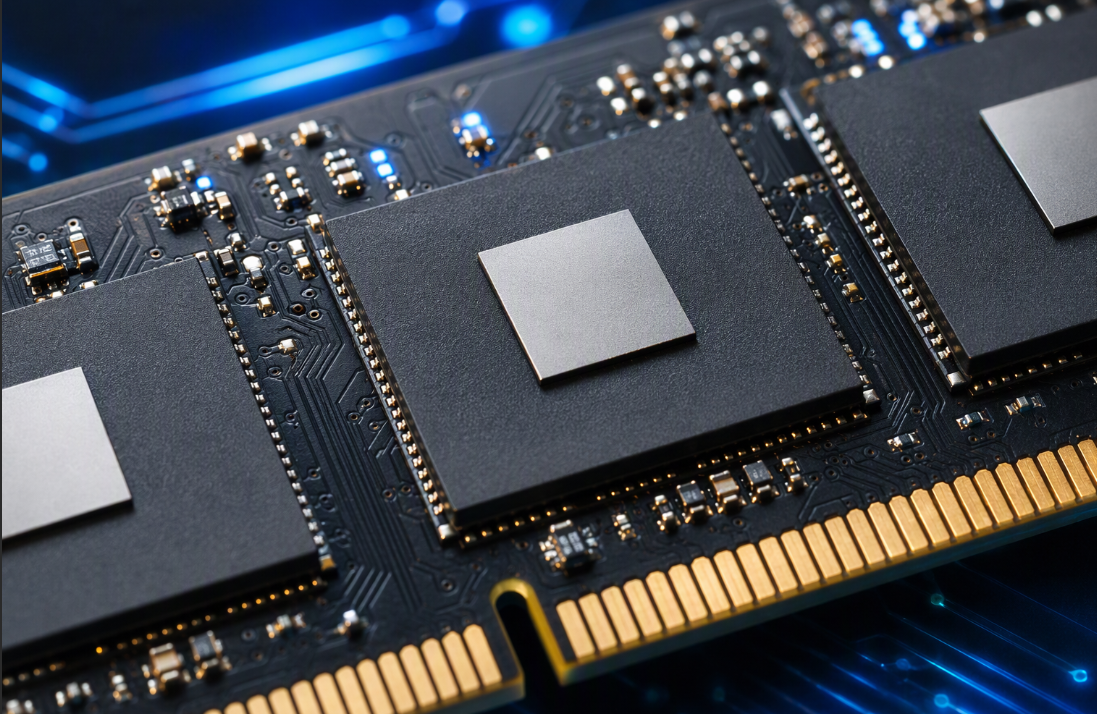
DDR5 UDIMM RAM 5600MHz 6000MHz Upgrade Memory for Desktop is designed for users who need improved memory performance without changing their entire computer configuration. The GUDGA solution offers several frequency and capacity options, helping users select suitable memory according to their motherboard, processor, and workload requirements.

Compared with older memory generations, DDR5 introduces several important improvements:

  • Higher memory data transfer rates for bandwidth-intensive applications.
  • Two independent 32-bit subchannels within each memory module.
  • Integrated power management through an onboard PMIC.
  • On-Die ECC technology for internal memory error correction.
  • Improved power efficiency and greater scalability.

These improvements make DDR5 a suitable choice for modern desktop platforms that require responsive multitasking and consistent memory performance.


2. Key Specifications and Technical Features

Understanding technical specifications is essential when selecting memory for a new desktop build or an existing computer upgrade. GUDGA offers multiple configurations to accommodate different performance and procurement requirements.

The following table summarizes the principal specifications of this DDR5 desktop memory series.

Specification Technical Details
Brand GUDGA
Memory Generation DDR5
Module Type UDIMM
Application Desktop Computers
Available Capacity 8GB / 16GB / 32GB / 48GB / 64GB
Frequency Options 4800 / 5200 / 5600 / 6000 MT/s
Interface 288-Pin
Input Voltage Options 1.1V / 1.2V / 1.25V / 1.35V
Error Correction On-Die ECC
Power Management Integrated PMIC
Operating Temperature 0°C to +70°C
Storage Temperature -20°C to +75°C
Warranty 5 Years
Certifications CE / FCC / KC / RoHS / ISO 9001

One important advantage is the availability of multiple memory capacities and frequencies. Buyers can select individual modules or suitable multi-module configurations according to system requirements.

For distributors and system integrators, these options also provide greater flexibility when developing different desktop configurations for retail, commercial, and industrial customers.


3. 5600MHz vs. 6000MHz: Which Speed Should You Choose?

Frequency is one of the most important factors when evaluating DDR5 memory. Both 5600 and 6000 are popular performance specifications for modern desktop systems.

Technically, DDR memory speed is expressed in megatransfers per second (MT/s), although MHz is commonly used in product marketing. DDR5-5600 provides 5,600 million transfers per second, while DDR5-6000 provides 6,000 million transfers per second.

For a standard 64-bit memory data path, their theoretical bandwidth can be compared as follows:

Comparison DDR5-5600 DDR5-6000
Data Transfer Rate 5600 MT/s 6000 MT/s
Theoretical Bandwidth 44.8 GB/s 48 GB/s
Relative Bandwidth Baseline Approximately 7.1% Higher
Typical Application General Computing and Gaming Performance-Oriented Gaming and Workstations
Compatibility Requirement DDR5-Compatible Platform DDR5 Platform Supporting the Selected Speed

When should you choose 5600?

DDR5-5600 is a balanced option for mainstream desktop users. It provides substantial bandwidth for daily office applications, multitasking, gaming, and professional software. It can also be a practical choice for systems where processor memory specifications or motherboard configurations limit higher frequencies.

When should you choose 6000?

DDR5-6000 is attractive for performance-oriented desktop configurations. It provides additional theoretical bandwidth and may benefit workloads sensitive to memory throughput, depending on processor architecture, memory timings, and application optimization.

However, a higher advertised frequency does not automatically guarantee better performance in every application. Buyers should consider the complete system configuration rather than focusing exclusively on transfer rates.


4. Core Technologies Behind DDR5 Performance

The performance improvement of DDR5 does not come from frequency alone. Several architectural and electrical improvements contribute to its overall capabilities.

4.1 Dual 32-Bit Subchannel Architecture

Traditional DDR4 UDIMM modules use a 64-bit data interface. DDR5 divides the data interface into two independent 32-bit subchannels within each module.

This architecture allows the memory controller to manage smaller data transactions more efficiently, improving memory access flexibility and supporting higher overall bandwidth.

4.2 On-Die ECC Error Correction

DDR5 incorporates On-Die ECC, which detects and corrects certain errors occurring within the memory chip itself.

This technology helps improve internal data integrity during memory operations. It is particularly useful for maintaining reliable memory behavior under demanding operating conditions.

It is important to distinguish On-Die ECC from full system-level ECC memory. On-Die ECC does not automatically provide the same end-to-end error protection as ECC UDIMM or registered ECC memory.

4.3 Integrated PMIC Power Management

DDR5 moves important power management functions from the motherboard to the memory module through an integrated Power Management Integrated Circuit (PMIC).

This design enables more localized voltage regulation and supports the power requirements of higher-speed memory operation.

4.4 XMP 3.0 and AMD EXPO Support

Intel XMP 3.0 and AMD EXPO are memory profile technologies that allow compatible systems to configure predefined performance settings.

These profiles can simplify the process of enabling supported memory frequencies and timings. Actual availability depends on the specific memory module, motherboard BIOS, and processor platform.

For PC enthusiasts, these features provide a more convenient way to configure memory performance without manually adjusting every timing parameter.


5. Desktop Compatibility and Installation Considerations

Before purchasing DDR5 UDIMM memory, users should verify that their desktop platform supports DDR5. Memory compatibility involves more than physical dimensions and connector type.

GUDGA positions this memory series for modern Intel and AMD DDR5-compatible desktop platforms, including selected Intel 12th–14th Generation processors and AMD Ryzen 7000/8000-series systems.

Nevertheless, the supported memory speed depends on the exact processor, motherboard model, BIOS version, module configuration, and memory population rules.

Important Compatibility Checks

  • Motherboard memory generation: Confirm that the motherboard supports DDR5 rather than DDR4. These memory generations are physically and electrically incompatible.
  • Module format: Verify that the motherboard supports 288-pin desktop UDIMM modules.
  • Maximum capacity: Check the motherboard's maximum memory capacity and supported module densities.
  • Memory frequency: Confirm that the processor and motherboard can operate at the selected 5600 or 6000 MT/s speed.
  • BIOS support: Update the motherboard BIOS when necessary to improve memory compatibility.
  • Memory configuration: Follow the motherboard manufacturer's recommended DIMM installation sequence.

Installation Recommendations

  1. Shut down the computer and disconnect its power supply.
  2. Open the desktop case and locate the DDR5 memory slots.
  3. Consult the motherboard manual for the recommended slot arrangement.
  4. Align the module notch with the memory slot and press it into place.
  5. Restart the computer and verify that the memory is recognized correctly.
  6. Enter BIOS to check the default memory speed and enable a supported XMP or EXPO profile when required.
  7. Run a memory stability test before using the computer for demanding workloads.

For additional guidance, users can consult Kingston's DDR4 and DDR5 memory population guidelines to understand how processor and motherboard configurations affect supported memory speeds.


6. Major Applications Across Different Industries

High-speed DDR5 desktop memory is suitable for a wide range of computing environments. Its combination of bandwidth, capacity options, and modern power management makes it useful for both consumer and commercial applications.

6.1 Gaming Desktop Computers

Modern games frequently access large amounts of system memory while managing background applications, game assets, and real-time processes.

DDR5-5600 and DDR5-6000 memory configurations can provide the bandwidth required by contemporary gaming platforms. When paired with a suitable processor and graphics card, they support responsive gameplay and efficient multitasking.

6.2 Video Editing and Content Creation

Video editors, graphic designers, and 3D professionals often work with large files and multiple software applications simultaneously.

Higher memory bandwidth and adequate capacity can improve workflow responsiveness, particularly when handling complex projects, large image collections, and high-resolution video content.

6.3 Office and Business Computing

Business desktops commonly run office applications, browsers, video conferencing software, databases, and enterprise management tools.

Expanding memory capacity can help reduce performance bottlenecks when several applications operate simultaneously, supporting a more productive working environment.

6.4 Commercial and Industrial Equipment

Commercial computing equipment requires memory components that meet defined compatibility and reliability requirements.

GUDGA DDR5 UDIMM memory can be considered for compatible:

  • Industrial desktop computers and automation control hosts.
  • Self-service advertising and information terminals.
  • Commercial all-in-one computer systems.
  • Thin-client desktop equipment.
  • Medical desktop terminals with compatible memory specifications.
  • Professional workstation and business computing platforms.

For industrial applications, buyers should evaluate operating temperature, system validation, workload requirements, and the host equipment manufacturer's compatibility specifications before deployment.


7. How to Select the Right DDR5 Memory for Your Desktop

Selecting the right memory requires balancing capacity, frequency, compatibility, budget, and long-term upgrade requirements. A carefully planned configuration can provide better overall value than simply choosing the highest advertised speed.

Step 1: Determine the Required Capacity

Memory capacity directly influences how many applications and data-intensive tasks a computer can handle comfortably.

  • 8GB: Suitable for selected basic computing configurations, although it may be restrictive for modern multitasking.
  • 16GB: A practical starting point for general office work and mainstream desktop usage.
  • 32GB: Suitable for gaming, professional multitasking, and many content creation workflows.
  • 48GB: An alternative for systems requiring additional memory capacity.
  • 64GB: Appropriate for demanding workstations, complex projects, and memory-intensive applications.

Step 2: Select the Appropriate Frequency

Choose 5600 MT/s for a balanced configuration or 6000 MT/s when the processor and motherboard support the higher operating speed. Always check the official platform specifications.

Step 3: Evaluate Memory Timing and Voltage

Memory latency and operating voltage also affect performance and compatibility. Two modules operating at the same frequency may deliver different results because of their timing configurations.

Buyers should request the complete specification sheet when comparing different memory models or evaluating custom OEM configurations.

Step 4: Consider Long-Term Supply and Warranty

For commercial buyers, product consistency, supplier communication, delivery arrangements, and after-sales support are important considerations.

Working with an experienced memory manufacturer can help distributors and system integrators establish more predictable procurement processes.


8. Product Quality and After-Sales Support

Memory reliability is essential for both individual users and organizations purchasing components in bulk. A suitable supplier should provide clear technical specifications, product traceability, and responsive technical assistance.

GUDGA is a proprietary memory and storage brand owned by Shenzhen Xinchitai Technology Co., Ltd. Established in 2014, the company focuses on memory and storage product development, manufacturing, and global sales.

Its DDR5 UDIMM product series is supported by a service system designed for international distributors, wholesalers, and system integrators.

Key Purchasing and Service Advantages

  • Multiple specifications: Different memory capacities and frequencies are available to support varied desktop configurations.
  • Five-year warranty: Original GUDGA memory modules are covered by a five-year warranty under the applicable warranty terms.
  • Technical assistance: Support is available for compatibility checking, memory installation, XMP/EXPO configuration, and troubleshooting.
  • Quality documentation: Relevant certification documents and product specifications can be provided for procurement evaluation.
  • OEM/ODM services: Customized branding and packaging solutions are available for qualified business customers.
  • International cooperation: The company serves distributors, retailers, and system integration partners in global markets.

For bulk procurement, it is advisable to confirm the exact memory configuration, component specifications, validation requirements, packaging details, and delivery schedule before placing an order.


9. Frequently Asked Questions About DDR5 UDIMM RAM

Q1: What is the difference between DDR5 UDIMM and DDR5 SODIMM?

DDR5 UDIMM is primarily designed for desktop computers and uses a standard 288-pin module format. DDR5 SODIMM is a smaller memory format commonly used in laptops and compact computing devices. They have different physical dimensions and are not interchangeable.

Q2: Is DDR5 6000 faster than DDR5 5600?

Yes. DDR5-6000 provides a higher data transfer rate and approximately 7.1% more theoretical bandwidth than DDR5-5600 under the same 64-bit data-width calculation. However, actual application performance depends on the complete hardware configuration and memory timings.

Q3: Can DDR5 UDIMM RAM work with a DDR4 motherboard?

No. DDR4 and DDR5 use different physical layouts and electrical specifications. A DDR5 UDIMM module cannot be installed in a DDR4-only motherboard. Users must select memory that matches their motherboard generation.

Q4: Does DDR5 UDIMM support Intel XMP 3.0 and AMD EXPO?

Supported GUDGA configurations offer XMP 3.0 and EXPO-related performance configuration options. Buyers should confirm the exact module profile and platform compatibility before purchasing.

Q5: What capacity should I choose for gaming and professional work?

For mainstream gaming, 16GB or 32GB can be considered depending on the games and background applications. For video editing, 3D modeling, and demanding multitasking, 32GB or 64GB may be more appropriate.

Q6: Does On-Die ECC make DDR5 UDIMM equivalent to ECC server memory?

No. On-Die ECC corrects certain errors internally within the DRAM chips. It does not provide the same system-level error detection and correction capabilities as full ECC memory modules supported by compatible processors and motherboards.

Q7: What warranty does GUDGA provide for DDR5 desktop memory?

GUDGA specifies a five-year warranty for its original DDR5 UDIMM memory modules. Customers should refer to the applicable warranty policy for coverage conditions and after-sales procedures.

Q8: Can GUDGA provide OEM and ODM DDR5 memory solutions?

Yes. GUDGA provides OEM/ODM cooperation options for qualified distributors, wholesalers, and system integrators. Customized branding and packaging requirements can be discussed according to project specifications and order quantities.


10. Conclusion: Build a More Efficient Desktop System

Choosing the right desktop memory is an important investment in computing performance, system responsiveness, and future upgrade flexibility. DDR5 UDIMM technology combines higher bandwidth, dual 32-bit subchannels, On-Die ECC, and integrated power management to address the growing demands of modern desktop platforms.

Whether you are building a gaming computer, upgrading a professional workstation, or sourcing memory components for commercial equipment, GUDGA DDR5 UDIMM RAM 5600MHz 6000MHz Upgrade Memory for Desktop offers multiple capacity and frequency options, a five-year warranty, and flexible OEM/ODM cooperation opportunities.

As a professional memory and storage brand, GUDGA is committed to supporting global customers with practical product configurations and technical service. If you are looking for a reliable DDR5 desktop memory supplier, need customized memory solutions, or plan to purchase in bulk, contact us today to discuss your requirements, request detailed specifications, and explore a suitable procurement solution for your business.

Related News
Leave me a message
X
We use cookies to offer you a better browsing experience, analyze site traffic and personalize content. By using this site, you agree to our use of cookies. Privacy Policy
RejectAccept