Shenzhen Xinchitai Technology Co., Ltd.
News

How Does an mSATA SSD Improve Storage Performance in Compact Devices?

2026-08-25 0 Leave me a message

Article Summary

Storage requirements have changed significantly as computers, embedded systems, industrial controllers, portable devices, and compact computing platforms become smaller while handling increasingly demanding workloads. Traditional hard disk drives can create limitations because of their moving components, while larger SSD formats may not fit systems where internal space is restricted. An mSATA SSD provides a practical solution by combining solid-state storage, a compact form factor, and SATA-based compatibility.

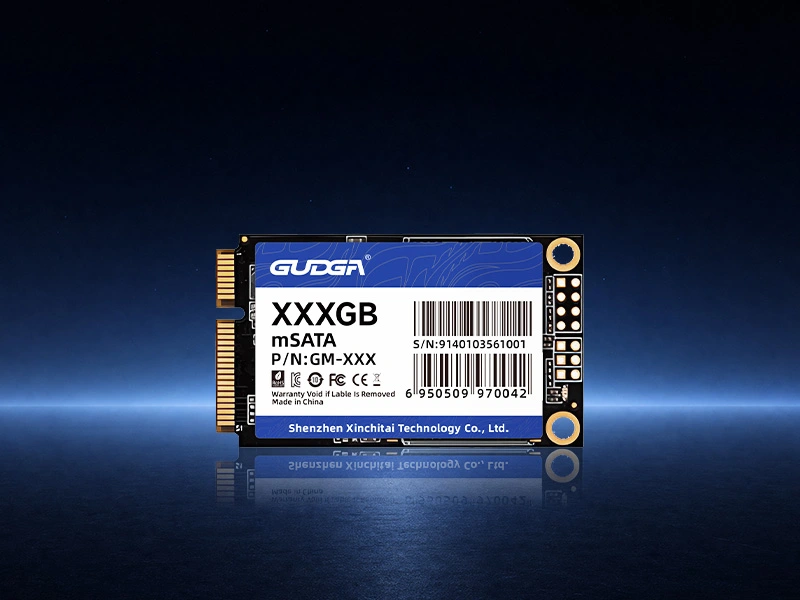
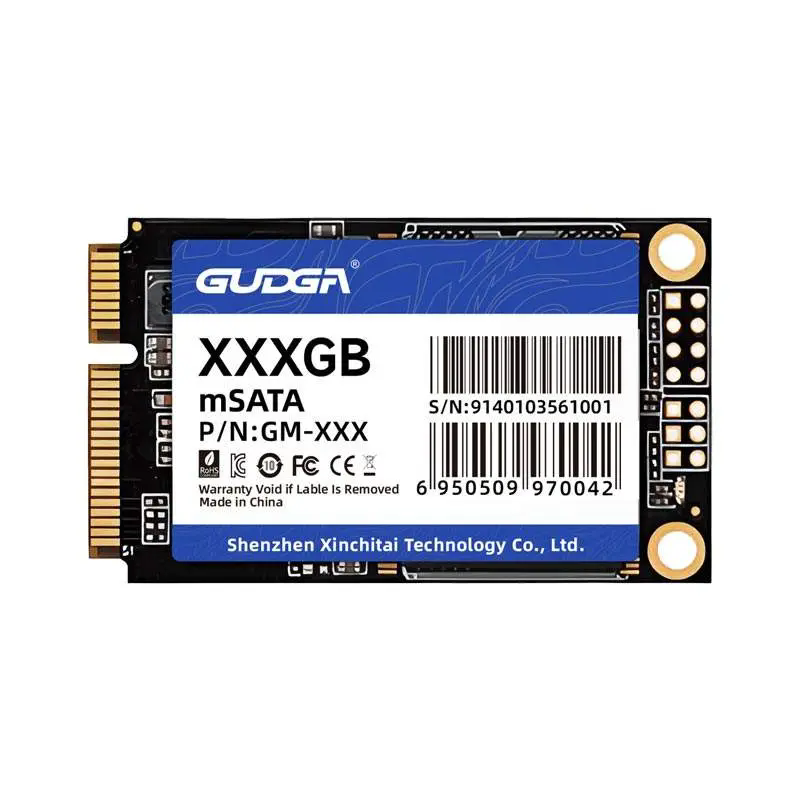
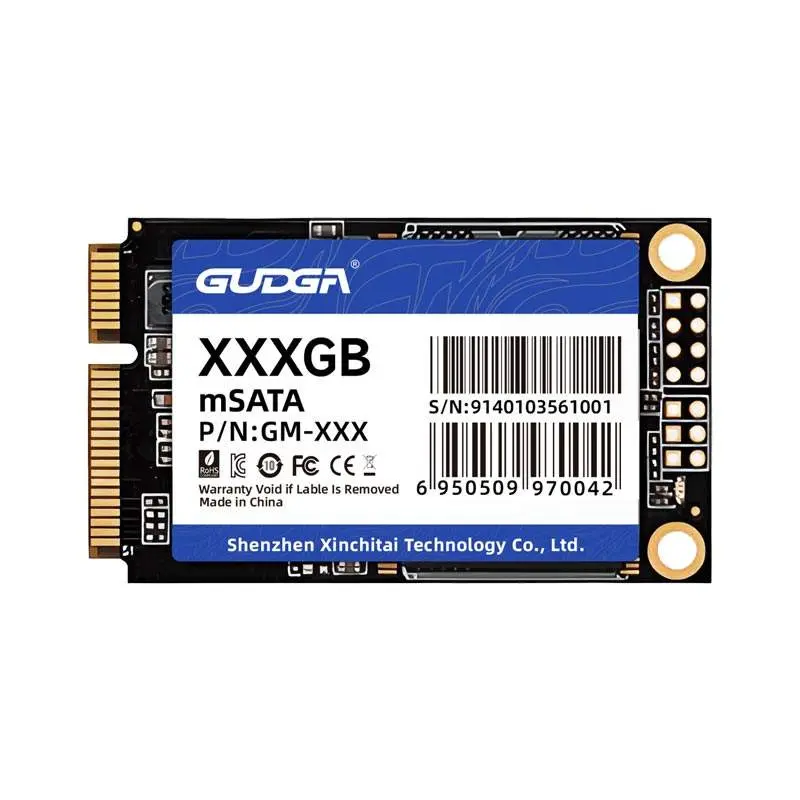
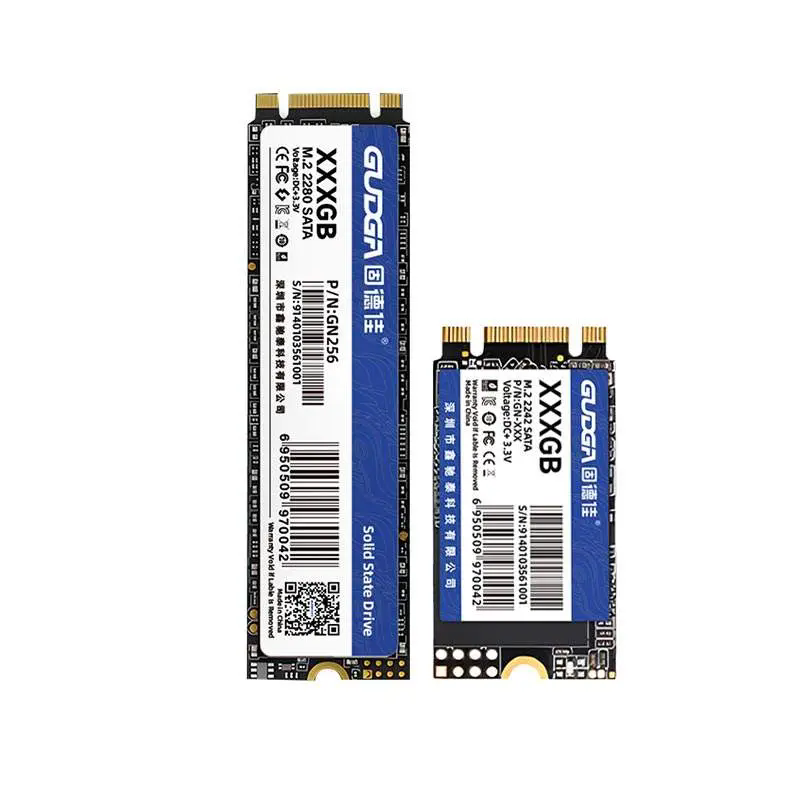
Laptop SSD mSATA

Designed around the mSATA form factor and SATA interface, this type of SSD can provide a substantial improvement over conventional mechanical storage in boot time, application loading, file access, and system responsiveness. The compact design is particularly useful for older laptops, mini PCs, embedded computers, industrial equipment, automation systems, and other devices where PCB space is limited.

This article explains how an mSATA SSD works, what performance benefits it can provide, which factors affect product selection, and how businesses can avoid common compatibility and reliability problems. GUDGA provides mSATA SSD solutions intended for applications that require compact storage, stable operation, and practical deployment flexibility.


Table of Contents


Article Outline

  1. Understanding the role of compact solid-state storage
  2. Examining the interface and physical characteristics of mSATA SSDs
  3. Identifying the performance benefits for real-world systems
  4. Evaluating capacity, NAND flash, endurance, compatibility, and temperature requirements
  5. Matching mSATA SSD specifications with different applications
  6. Understanding how GUDGA can support storage deployment requirements

1. Introduction to mSATA SSD Technology

An mSATA SSD is a compact solid-state storage device designed around the Mini-SATA form factor. Unlike a conventional hard disk drive, it stores information using NAND flash memory rather than rotating magnetic platters and mechanical read/write heads.

The compact architecture makes mSATA particularly useful when a standard 2.5-inch drive is physically unsuitable. At the same time, its SATA-based architecture allows it to work with systems designed around compatible SATA storage interfaces.

Many mSATA SSD implementations use SATA III with a theoretical interface bandwidth of up to 6 Gb/s. Actual storage performance depends on the NAND flash, controller, firmware, capacity, host system, workload, and testing conditions. Therefore, interface bandwidth should not be treated as the same thing as real-world read or write speed.

For buyers, this distinction is important. A storage device should be selected according to the complete system requirement rather than a single advertised speed figure.


2. How an mSATA SSD Works

An mSATA SSD combines several key components to manage digital data efficiently:

  • NAND Flash Memory: Stores user data without requiring continuous electrical power.
  • SSD Controller: Manages data distribution, error handling, flash communication, and storage operations.
  • Firmware: Coordinates internal SSD functions and helps manage performance and data integrity.
  • Cache or Buffer: Depending on the design, memory resources can help manage data transfers and improve responsiveness.
  • mSATA Interface: Provides the physical connection between the SSD and a compatible host system.

When the operating system requests data, the SSD controller identifies the appropriate NAND locations and transfers the information through the SATA interface. Because there are no mechanical components that need to physically move into position, access operations can be considerably more responsive than those of mechanical storage.

Modern mSATA SSD products may also incorporate technologies such as wear leveling, error correction, S.M.A.R.T. monitoring, TRIM support, garbage collection, and other firmware-level management functions. The exact feature set varies between models and manufacturers.


3. How an mSATA SSD Improves Storage Performance

Faster System Responsiveness

One of the most noticeable benefits of replacing a mechanical storage device with an mSATA SSD is improved responsiveness. Operating system files can be accessed more quickly, helping reduce waiting during system startup and routine operations.

This can be especially valuable for older laptops or compact computers whose processors and memory are still adequate but whose original storage has become a performance bottleneck.

More Efficient Application Loading

Applications frequently read multiple files during startup. An SSD can handle these storage requests without relying on mechanical head movement. As a result, programs can generally launch more efficiently, particularly when the workload involves frequent random access.

Improved File Transfer Performance

For workloads involving large files, sequential read and write performance becomes important. A suitable mSATA SSD can significantly improve the movement of operating-system images, application packages, project files, logs, and other data compared with conventional hard drives.

Lower Mechanical Complexity

Because an SSD has no spinning platters or moving read/write heads, it avoids the mechanical limitations associated with traditional hard drives. This characteristic is useful in mobile and embedded systems where vibration and shock can be operational concerns.

Actual performance should always be evaluated under the intended workload. Manufacturer specifications commonly represent maximum or controlled test results, while application performance can vary depending on the host platform and software environment.


4. Key Advantages of an mSATA SSD

Feature Practical Benefit Typical Concern Addressed
Compact form factor Fits space-constrained systems Limited internal installation space
Solid-state storage Fast and responsive data access Slow mechanical storage
SATA compatibility Suitable for compatible SATA platforms Interface limitations
Low-profile design Supports compact equipment layouts Restricted PCB or enclosure space
NAND flash technology Non-volatile data storage Dependence on mechanical storage

These characteristics explain why mSATA remains relevant in systems where physical size, compatibility, and balanced storage performance matter more than simply achieving the highest possible benchmark speed.


5. Where an mSATA SSD Is Commonly Used

The compact size of an mSATA SSD allows it to serve a broad range of applications. Common use cases include:

  • Older laptops and ultrabooks: An mSATA SSD can provide a practical storage upgrade when the original system supports the interface.
  • Mini PCs: Compact computing systems can benefit from storage that occupies relatively little internal space.
  • Embedded computers: Industrial and embedded platforms often have strict space limitations.
  • Industrial automation equipment: Controllers, HMIs, and monitoring systems may require compact non-volatile storage.
  • Digital signage: Local operating systems and media files can be stored on an SSD for fast access.
  • Networking equipment: Compatible communication systems can use compact storage for operating software, configuration data, or logs.
  • Point-of-sale systems: Retail terminals can benefit from responsive local storage.
  • Portable computing devices: Small storage modules can help manufacturers maintain compact product designs.

For industrial deployments, environmental conditions should be considered carefully. Temperature, vibration, humidity, write intensity, power stability, and expected service life can all influence the appropriate SSD specification.


6. How to Select the Right mSATA SSD

Choosing an mSATA SSD based only on capacity or advertised read speed can lead to compatibility or reliability problems. A more complete evaluation should include the following factors.

Interface Compatibility

First confirm that the host device actually supports mSATA. An mSATA drive uses a physical form factor and electrical interface that should not automatically be confused with every Mini PCIe or M.2 slot. Physical similarity does not guarantee electrical compatibility.

Capacity

Select capacity according to both current requirements and future data growth. A system running an operating system and several applications may require substantially more storage than a simple embedded controller that stores only firmware and logs.

Application Requirement Capacity Planning Consideration
Basic embedded system Prioritize required operating software and data logging space
Office or portable computer Allow sufficient space for operating system, applications, and personal files
Industrial computer Consider long-term logging and system-image requirements
Batch deployment Standardize capacity across the equipment fleet where practical

NAND Flash Type

NAND selection affects cost, performance characteristics, endurance, and expected application behavior. 3D TLC NAND is widely used in modern SSD products because it can offer a useful balance between capacity, performance, and cost.

Endurance

Endurance is particularly important when the SSD will experience continuous writes. Systems that repeatedly update databases, logs, cache files, or surveillance data should be evaluated using metrics such as TBW and workload-specific write requirements rather than capacity alone.

Operating Temperature

Commercial and industrial systems can have very different environmental conditions. If an SSD will operate inside industrial equipment, outdoor electronics, transportation systems, or other thermally challenging environments, verify the specified operating temperature range before deployment.

Firmware and Data Protection Features

Features such as S.M.A.R.T., wear leveling, error correction, TRIM, garbage collection, and power-loss protection can influence long-term storage behavior. Not every SSD includes the same functions, so buyers should evaluate features according to the application rather than assuming they are standard.


7. mSATA SSD Compared with Other Storage Options

Storage Type Main Strength Potential Limitation Suitable Scenario
mSATA SSD Compact SATA-based solid-state storage Requires compatible mSATA interface Compact computers and embedded equipment
2.5-inch SATA SSD Broad system compatibility Larger physical footprint Desktop and laptop upgrades
M.2 NVMe SSD Very high PCIe-based performance Requires compatible NVMe/PCIe platform Modern high-performance computers
Hard Disk Drive High-capacity cost efficiency Mechanical components and slower access Bulk storage where physical size is acceptable

The correct option depends on the host platform. An mSATA SSD should not be selected simply because it is physically compact. Interface compatibility and system architecture must come first.


8. Reliability Factors That Should Not Be Ignored

For professional deployments, reliability involves much more than whether a drive works during initial installation.

  • Write workload: Determine how much data will be written each day and over the expected service period.
  • Thermal conditions: Evaluate the actual enclosure temperature rather than relying only on ambient room temperature.
  • Power stability: Consider what happens if the host unexpectedly loses power during a write operation.
  • Data integrity: Look for appropriate error correction and flash-management technologies.
  • Component consistency: For large-volume projects, consistent components and firmware revisions can simplify qualification and maintenance.
  • Supply continuity: Long-life industrial products should be supported by a stable supply strategy.

These considerations become especially important for OEM and system-integrator projects. Replacing an SSD model after equipment has entered production can require additional testing, firmware validation, inventory management, and field-service planning.


9. Installation and Deployment Considerations

Before installing an mSATA SSD, confirm the host system documentation and verify the supported interface. If the device uses a Mini PCIe-style connector, this does not by itself prove that the slot supports SATA-based mSATA storage.

For a new system design, engineers should verify:

  1. Supported mSATA interface and connector configuration.
  2. Available mechanical clearance around the module.
  3. Required operating voltage.
  4. Expected read and write workload.
  5. Required capacity and future expansion margin.
  6. Operating and storage temperature requirements.
  7. Expected vibration and shock environment.
  8. Operating-system compatibility.
  9. Required firmware features.
  10. Long-term supply and replacement requirements.

For mass production, it is also useful to qualify the SSD using the actual host platform. Benchmark results from a standalone test environment cannot always predict performance under the final workload.


10. Why Consider GUDGA for mSATA SSD Solutions

GUDGA focuses on storage products designed for practical computing and equipment applications. Its mSATA SSD product range is positioned for scenarios where compact dimensions, SATA compatibility, responsive storage performance, and dependable deployment are important.

GUDGA describes its mSATA SSD products as compact solid-state storage solutions suitable for laptop upgrades, embedded devices, industrial equipment, and batch deployment. The product range includes solutions based on 3D TLC NAND and the mature mSATA standard, providing a balance between storage capacity, performance, and cost for suitable applications.

For buyers purchasing in volume, the evaluation should extend beyond the initial unit price. A more useful procurement assessment considers:

  • Product specification consistency
  • Available storage capacities
  • Controller and NAND configuration
  • Performance requirements
  • Endurance expectations
  • Environmental requirements
  • Firmware stability
  • Quality-control procedures
  • Production capacity
  • Long-term supply planning
  • OEM and customization requirements

This approach can help system integrators reduce compatibility risks and select an SSD that matches the actual operating environment instead of purchasing according to a single benchmark specification.


11. Frequently Asked Questions

What is an mSATA SSD?

An mSATA SSD is a compact solid-state storage device that uses the mSATA physical form factor and SATA storage interface. It is designed for systems where conventional storage devices may occupy too much space.

Is mSATA the same as M.2?

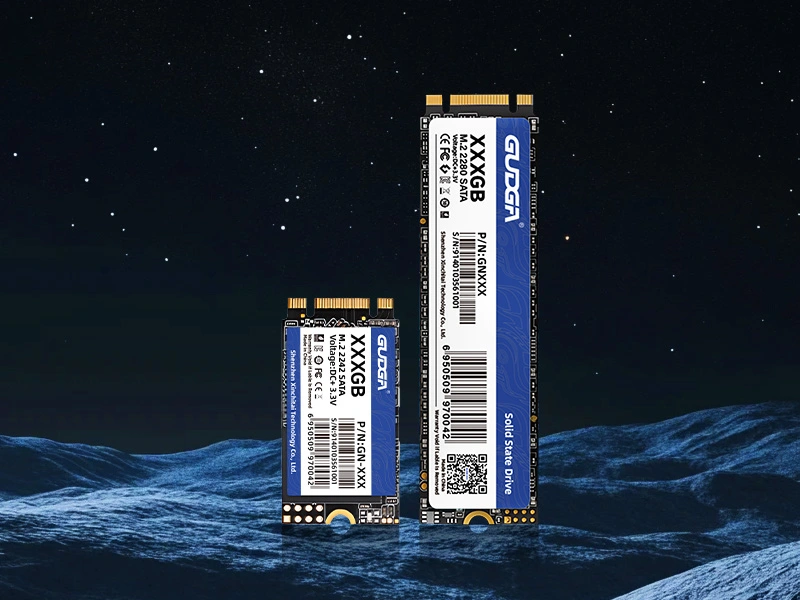
No. mSATA and M.2 are different form factors and can use different electrical interfaces. An M.2 slot does not automatically support mSATA, and an mSATA module should not be assumed to work in every M.2 socket.

Is an mSATA SSD faster than a hard drive?

In general, an SSD can provide much faster access responsiveness than a mechanical hard drive because it has no rotating platters or moving heads. Actual results depend on the SSD model, host system, workload, and software environment.

Can an mSATA SSD be used in an industrial computer?

Yes, provided the industrial computer supports a compatible mSATA interface and the SSD's environmental and endurance specifications match the application. For demanding industrial environments, temperature, vibration, write workload, and power conditions should be evaluated before deployment.

What capacity should an mSATA SSD have?

The appropriate capacity depends on the operating system, applications, stored files, data logging requirements, and expected service life. It is usually better to calculate current requirements and expected data growth before selecting a capacity.

Does a higher capacity SSD always provide higher performance?

No. Performance can vary according to NAND configuration, controller architecture, firmware, capacity, and workload. Capacity alone should not be treated as a direct indicator of performance.

What should businesses consider when buying mSATA SSDs in bulk?

Businesses should evaluate technical compatibility, performance consistency, endurance, environmental specifications, quality control, firmware stability, supply continuity, and after-sales support in addition to purchase price.

Can GUDGA provide mSATA SSD solutions for business applications?

GUDGA provides mSATA SSD products for applications including laptop upgrades, embedded equipment, industrial systems, and batch deployment. Buyers with specific capacity, performance, environmental, or procurement requirements can discuss their project specifications with the company.


12. Conclusion

An mSATA SSD remains a practical storage option for systems that require solid-state performance without the physical footprint of a conventional 2.5-inch drive. Its combination of compact dimensions, SATA-based compatibility, NAND flash storage, and responsive data access makes it useful across laptops, mini PCs, embedded computers, industrial equipment, and other space-constrained platforms.

The most important step is not simply choosing the fastest or cheapest drive. Buyers should match the SSD's interface, capacity, NAND technology, endurance, temperature range, firmware capabilities, and supply requirements with the real operating conditions of the target system.

For companies planning laptop upgrades, embedded deployments, industrial projects, or volume procurement, GUDGA can be considered as a storage solution provider for mSATA SSD requirements. A properly matched SSD can help reduce storage bottlenecks, improve system responsiveness, and provide a more practical foundation for compact computing equipment.

Looking for a suitable mSATA SSD for your equipment or bulk procurement project? Contact GUDGA to discuss your required capacity, performance, interface compatibility, environmental conditions, and customization requirements. Contact us today to find an mSATA SSD solution that fits your application.

Related News
Leave me a message
X
We use cookies to offer you a better browsing experience, analyze site traffic and personalize content. By using this site, you agree to our use of cookies. Privacy Policy
RejectAccept