Shenzhen Xinchitai Technology Co., Ltd.
News

How Can a PCIE 4.0 SSD with 5000MB/s Transfer Speed Transform Your Storage Performance

2026-11-12 0 Leave me a message

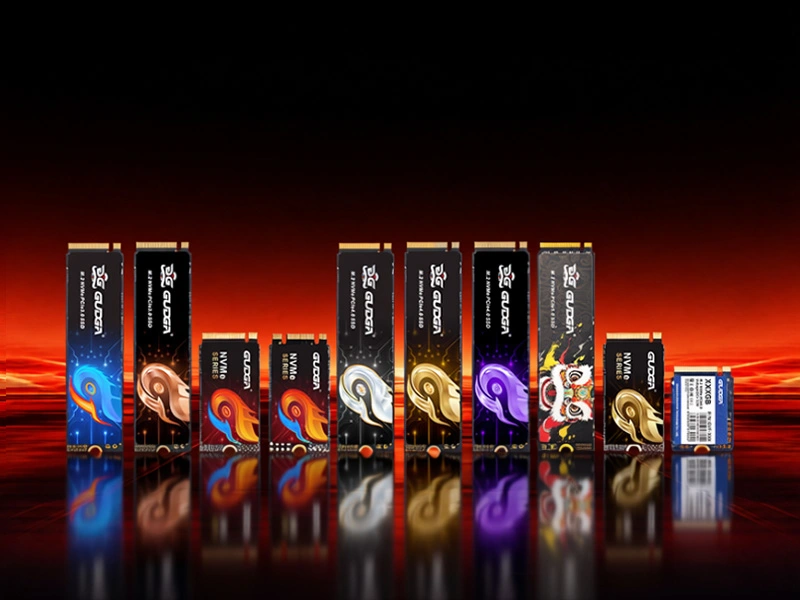
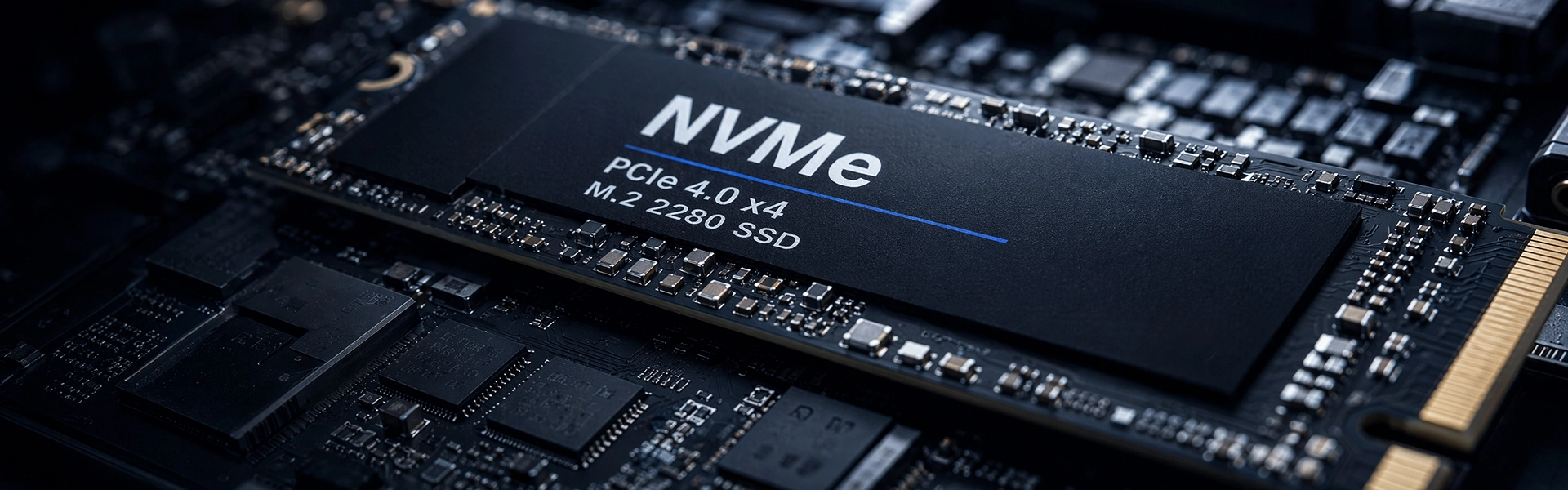
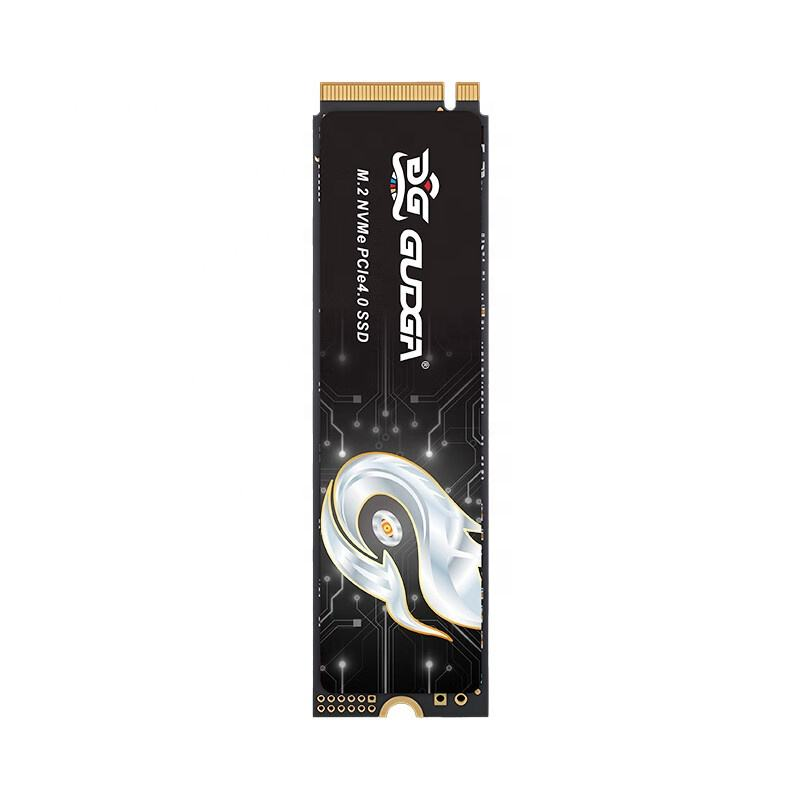
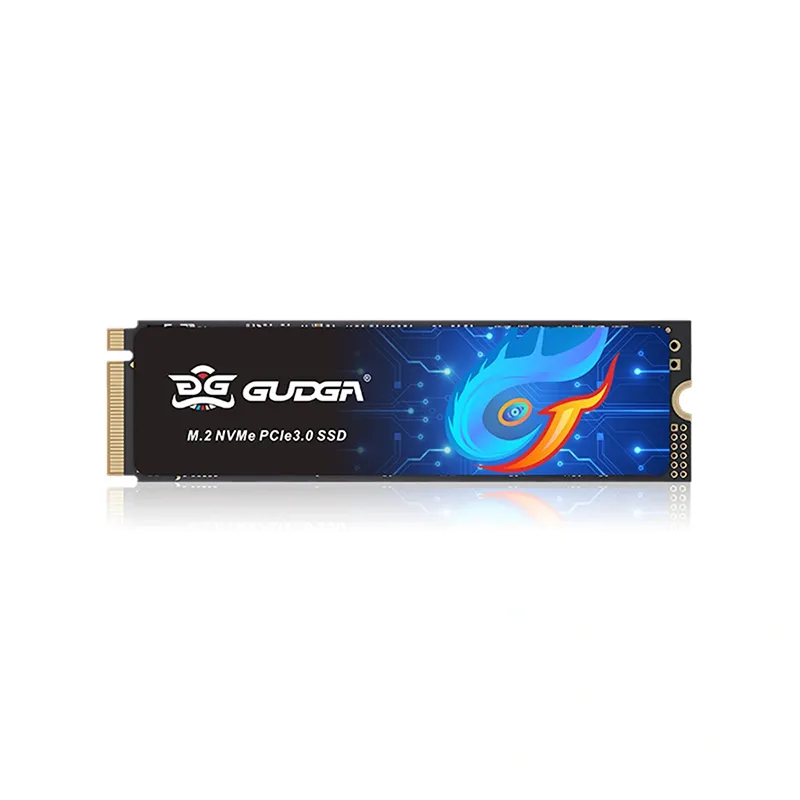
As modern computing demands faster data access, smoother multitasking, and more reliable storage, choosing the right solid-state drive has become increasingly important. GUDGA introduces the PCIE 4.0 SSD with 5000MB/s Transfer Speed, a high-performance NVMe storage solution designed for gaming PCs, professional workstations, creative applications, and everyday computing. Combining a PCIe Gen4 x4 interface, NVMe 1.4 protocol, premium 3D TLC NAND flash, and intelligent thermal management, this SSD provides an effective balance of speed, durability, and compatibility for users looking to upgrade their storage infrastructure.

A PCIE 4.0 SSD with 5000MB/s Transfer Speed offers a significant improvement over traditional SATA storage and many previous-generation SSD solutions. With sequential read speeds of up to 5000MB/s and sequential write speeds of up to 4200MB/s, the GUDGA PCIe 4.0 NVMe M.2 SSD is designed to accelerate system startup, game loading, large-file transfers, and demanding creative workflows.

PCIE 4.0 SSD with 5000MB/s Transfer Speed

Table of Contents

  1. What Is a PCIE 4.0 SSD with 5000MB/s Transfer Speed?
  2. What Are the Key Technical Specifications?
  3. Why Does 5000MB/s Transfer Speed Matter?
  4. How Does Thermal Management Improve SSD Reliability?
  5. Which Applications Benefit Most from This SSD?
  6. How Does Compatibility and Installation Work?
  7. How Should You Choose the Right SSD Capacity?
  8. Frequently Asked Questions
  9. Why Consider GUDGA for Your SSD Requirements?

1. What Is a PCIE 4.0 SSD with 5000MB/s Transfer Speed?

A PCIE 4.0 SSD with 5000MB/s Transfer Speed is a solid-state storage device that uses the fourth generation of the Peripheral Component Interconnect Express interface to transfer data between the SSD and the computer system. Combined with an NVMe protocol and an M.2 form factor, it delivers significantly higher bandwidth than conventional SATA-based storage devices.

The GUDGA PCIe 4.0 NVMe SSD uses a PCIe Gen4 x4 interface and NVMe 1.4 protocol. Its maximum sequential read speed reaches 5000MB/s, making it suitable for users who regularly access large files, launch resource-intensive applications, or operate multiple demanding programs simultaneously.

Unlike traditional mechanical hard drives, SSDs have no moving mechanical components. This structure contributes to faster access times, lower operating noise, and improved resistance to physical vibration.

The combination of high-speed data transmission and compact M.2 2280 construction makes this storage solution suitable for modern desktop computers, gaming laptops, and compatible mini PCs.


2. What Are the Key Technical Specifications?

Technical specifications are essential when evaluating an SSD for personal or commercial applications. They help buyers compare storage performance, endurance, interface compatibility, and expected operating conditions.

The following table summarizes the main specifications of the GUDGA PCIE 4.0 SSD with 5000MB/s Transfer Speed.

Technical Item Specification
Brand GUDGA
Product Type PCIe 4.0 NVMe M.2 SSD
Form Factor M.2 2280
Interface PCIe Gen4 x4
Protocol NVMe 1.4
Flash Type 3D TLC NAND
Maximum Sequential Read Up to 5000MB/s
Maximum Sequential Write Up to 4200MB/s (varies by capacity)
Random 4KB Read Up to 700,000 IOPS
Random 4KB Write Up to 650,000 IOPS
Capacity Options 512GB / 1TB / 2TB / 4TB
TBW Endurance 300TB to 1200TB, subject to capacity
MTBF 1,700,000 hours
Operating Temperature 0°C to 70°C
Storage Temperature -40°C to 85°C
Supported Operating Systems Windows 10/11 and Linux
Warranty 5-year limited warranty

These specifications demonstrate that the product combines high sequential transfer performance with practical storage capacity choices. The 3D TLC NAND architecture, error correction capabilities, and intelligent thermal management further support its suitability for everyday computing and demanding workloads.

For buyers comparing different storage solutions, it is important to evaluate both sequential and random performance rather than focusing exclusively on the maximum advertised speed.


3. Why Does 5000MB/s Transfer Speed Matter?

Storage performance directly influences how quickly a computer can access operating system files, launch applications, transfer documents, and process large datasets. A PCIe 4.0 SSD reaching 5000MB/s can significantly improve these operations when the rest of the system is configured appropriately.

Faster System Startup and Application Loading

Operating systems and modern software contain numerous files that must be accessed during startup and application initialization. High-speed NVMe storage reduces storage-related waiting time, helping computers respond more quickly to everyday operations.

For business users, this can improve workflow efficiency when opening office applications, accessing databases, and switching between frequently used programs.

More Efficient Gaming Performance

Modern PC games often contain large textures, detailed environments, and extensive resource files. A fast SSD helps reduce storage-related loading delays when launching games, entering maps, and accessing game assets.

The GUDGA 5000MB/s SSD is a practical choice for gaming systems that require responsive storage and sufficient space for multiple game installations.

Improved Large-File Transfers

Photographers, video editors, and graphic designers frequently work with high-resolution images, 4K video footage, and large project folders. Faster sequential read and write performance can shorten file transfer operations and improve overall project handling.

Actual transfer speeds depend on file characteristics, source and destination devices, available cache, system configuration, and workload duration.

Better Multitasking Responsiveness

When several applications operate simultaneously, storage devices may need to process multiple read and write requests. NVMe technology provides an efficient command protocol that helps modern systems manage demanding storage workloads.

This makes the drive suitable for users who combine browser applications, video editing software, design tools, and background file transfers in their daily workflows.


4. How Does Thermal Management Improve SSD Reliability?

High-performance storage devices generate heat during intensive read and write operations. Without appropriate thermal management, excessive temperatures may trigger thermal throttling, reducing the drive's performance to maintain safe operating conditions.

The GUDGA PCIE 4.0 SSD with 5000MB/s Transfer Speed incorporates an intelligent thermal management design to help control operating temperatures during sustained workloads.

In addition to thermal management, several technologies contribute to data protection and long-term operating stability:

  • ECC Error Correction: Helps detect and correct data errors during storage operations, improving data integrity.
  • S.M.A.R.T. Monitoring: Provides drive health and operational information to support storage maintenance.
  • Bad Block Management: Helps manage defective NAND blocks and maintain reliable storage operations.
  • Wear Leveling: Distributes write operations across flash memory to support more balanced NAND usage.
  • Shock Resistance: The absence of moving mechanical parts makes the SSD more resistant to physical vibration than conventional mechanical hard drives.

For users who regularly perform extended rendering, large-scale file transfers, or intensive gaming sessions, proper computer airflow and suitable M.2 cooling solutions are also important. SSD performance and longevity depend on the overall operating environment, not just the storage device itself.


5. Which Applications Benefit Most from This SSD?

A high-speed PCIe 4.0 storage device can serve a wide range of computing requirements. The GUDGA SSD is particularly suitable for applications where fast file access, responsive loading, and reliable storage are important.

Gaming Computers

Gaming enthusiasts can use this SSD as a system drive or game library storage device. Its high sequential read performance helps reduce loading delays for compatible games and large game resources.

Video Editing and Content Creation

Professional editors frequently handle large video files, image libraries, and project assets. A 5000MB/s NVMe SSD provides a faster storage foundation for importing footage, accessing editing materials, and transferring completed projects.

Business Workstations

Engineering, design, architecture, and office workstations often require fast access to applications and project documents. PCIe 4.0 storage can improve the responsiveness of these systems, particularly when multiple storage-intensive tasks are performed.

Mini PCs and Compact Computing Devices

The M.2 2280 form factor provides a compact internal storage option for compatible mini PCs and space-conscious computer builds. Buyers should verify the available M.2 slot dimensions, interface support, and installation clearance before purchasing.

System Integrators and Computer Manufacturers

For OEMs, ODMs, and computer assembly businesses, SSD selection influences system specifications, product positioning, and overall user experience. Multiple capacity options make it easier to configure different product tiers according to market requirements.


6. How Does Compatibility and Installation Work?

The GUDGA PCIe 4.0 SSD uses an M.2 2280 physical form factor and supports PCIe Gen4 x4 connectivity. It is designed for compatible desktop motherboards, laptops, and mini PCs using mainstream Intel and AMD platforms.

Before installation, buyers should verify the following hardware requirements:

  • M.2 Slot Availability: Confirm that the motherboard or laptop has an available M.2 storage slot.
  • Physical Dimensions: Ensure that the device supports the 2280 form factor, measuring 22mm wide and 80mm long.
  • PCIe Interface: Check whether the M.2 slot supports PCIe NVMe SSDs rather than SATA-only devices.
  • BIOS Support: Verify that the motherboard firmware supports NVMe booting when the SSD will be used as a system drive.
  • Operating System: Confirm compatibility with Windows 10/11 or Linux and prepare the appropriate installation or cloning tools.

The SSD also offers backward compatibility with PCIe 3.0 platforms. When installed in a compatible PCIe 3.0 slot, it operates according to the lower interface bandwidth rather than its maximum PCIe 4.0 performance.

Installation generally involves powering down the computer, inserting the SSD into the M.2 slot, securing it with the appropriate screw, and initializing the drive through the operating system. Users upgrading an existing system can also migrate their data using compatible disk cloning software.


7. How Should You Choose the Right SSD Capacity?

Storage capacity is an important consideration when selecting a PCIE 4.0 SSD with 5000MB/s Transfer Speed. The ideal configuration depends on the number of applications, the size of working files, and the expected storage expansion requirements.

Capacity Recommended Application Typical Buyer
512GB Operating systems, essential applications, and everyday storage Office users and entry-level PC builders
1TB Gaming libraries, productivity applications, and moderate creative projects Gamers and professionals
2TB Large game collections, video projects, and extensive working files Content creators and power users
4TB Large media libraries, professional projects, and high-capacity storage needs Professional workstations and advanced users

When purchasing SSDs for commercial projects, buyers should also consider the following factors:

  1. Performance Requirements: Evaluate sequential read/write speeds and random IOPS according to the intended workload.
  2. Endurance Requirements: Compare TBW ratings with expected daily write operations.
  3. Thermal Conditions: Consider whether the target computer requires additional M.2 cooling.
  4. Platform Compatibility: Confirm interface, form factor, and firmware requirements.
  5. Supplier Reliability: Review product testing procedures, warranty terms, certifications, and technical support capabilities.

For OEM and wholesale buyers, confirming capacity-specific performance and endurance parameters before placing a bulk order is particularly important. These details help ensure that the selected SSD configuration matches the intended computer platform.


8. Frequently Asked Questions

Q1: What does 5000MB/s mean for an SSD?

5000MB/s refers to a maximum sequential data transfer rate of approximately 5GB per second. It indicates how quickly the SSD can read large blocks of continuous data under suitable test conditions. Actual performance depends on the host system, file characteristics, and workload.

Q2: Is a PCIE 4.0 SSD with 5000MB/s Transfer Speed suitable for gaming?

Yes. This SSD is suitable for gaming computers that support PCIe 4.0 NVMe storage. Its high sequential read speed helps reduce game loading delays and improves access to large game files. However, it does not directly increase GPU rendering performance or guarantee higher in-game frame rates.

Q3: Can this PCIe 4.0 SSD work on a PCIe 3.0 motherboard?

Yes. The GUDGA PCIe 4.0 SSD supports backward compatibility with compatible PCIe 3.0 NVMe slots. However, its maximum transfer speed will be limited by the PCIe 3.0 interface and the motherboard's configuration.

Q4: What is the difference between sequential read speed and write speed?

Sequential read speed measures how quickly an SSD retrieves large continuous files, while sequential write speed measures how quickly it stores them. Both are important for users handling large video files, software installations, backups, and professional creative projects. The GUDGA model offers up to 5000MB/s sequential read and up to 4200MB/s sequential write, depending on capacity.

Q5: Which NAND flash technology does this SSD use?

The drive uses 3D TLC NAND flash. TLC technology stores three bits of information per memory cell and is widely used in consumer and professional SSD products because it offers a practical balance of storage density, performance, and endurance.

Q6: Does this SSD support Windows and Linux?

Yes. The GUDGA PCIe 4.0 NVMe SSD supports Windows 10/11 and Linux systems. The computer must also have a compatible M.2 NVMe storage interface.

Q7: What features help protect stored data?

The SSD incorporates ECC error correction, S.M.A.R.T. health monitoring, and bad block management to support data integrity and stable operation. Users should still maintain regular backups because no storage device can completely eliminate the risk of data loss.

Q8: What warranty and capacity options are available?

The product offers 512GB, 1TB, 2TB, and 4TB capacity options, with a 5-year limited warranty. Buyers should confirm the applicable warranty conditions and capacity-specific technical specifications with GUDGA before ordering.


9. Why Consider GUDGA for Your SSD Requirements?

Choosing the right storage device requires more than comparing maximum transfer speeds. Interface compatibility, NAND quality, endurance, thermal management, and manufacturing quality all influence long-term product performance.

The GUDGA PCIE 4.0 SSD with 5000MB/s Transfer Speed combines PCIe Gen4 x4 connectivity, NVMe 1.4 technology, 3D TLC NAND, intelligent thermal management, ECC protection, and multiple capacity options. Its compact M.2 2280 design makes it a practical storage choice for gaming computers, creative workstations, business PCs, and compatible compact systems.

For distributors, system integrators, computer manufacturers, and wholesale purchasers, GUDGA provides an opportunity to source high-performance SSD products with factory testing, multiple capacity configurations, and a 5-year limited warranty. Manufacturing Quality & Engineering Assurance remain important considerations when evaluating storage suppliers for long-term business cooperation.

If you are looking for a reliable SSD solution for your next computer project, need detailed technical specifications, or want to discuss OEM/ODM and bulk purchasing requirements, GUDGA is ready to assist. Visit the GUDGA PCIE 4.0 SSD product page to explore more details and contact us today for professional product recommendations, customized procurement support, and competitive quotation services.

Related News
Leave me a message
X
We use cookies to offer you a better browsing experience, analyze site traffic and personalize content. By using this site, you agree to our use of cookies. Privacy Policy
RejectAccept