News

How Does a 2.5 SATA SSD Improve Storage Performance and Reliability?

2026-08-13 0 Leave me a message

Article Summary: A 2.5 SATA SSD is one of the most practical ways to upgrade an older laptop, desktop computer, or compatible storage system without replacing the entire platform. By combining a compact 2.5-inch form factor with the mature SATA interface, this type of solid-state drive offers faster system response, lower power consumption, silent operation, and improved resistance to everyday vibration compared with traditional mechanical hard drives. This guide explains how a 2.5 SATA SSD works, what specifications matter, how to select the right capacity and performance level, and how GUDGA approaches compatibility, stability, and cost-effective storage for personal and commercial applications.

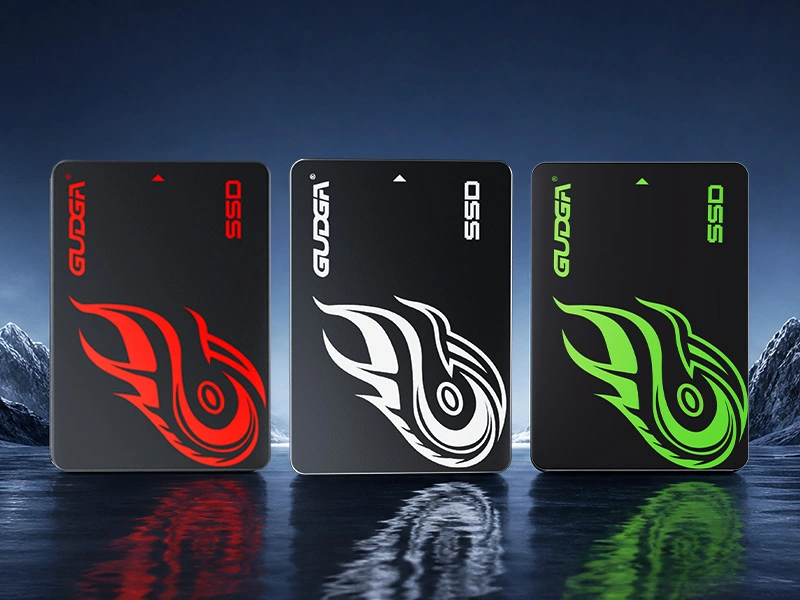
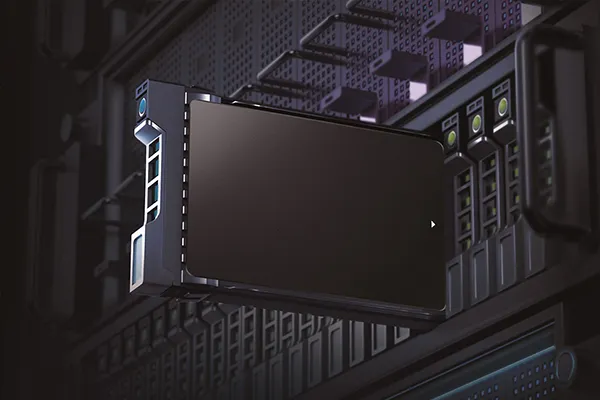
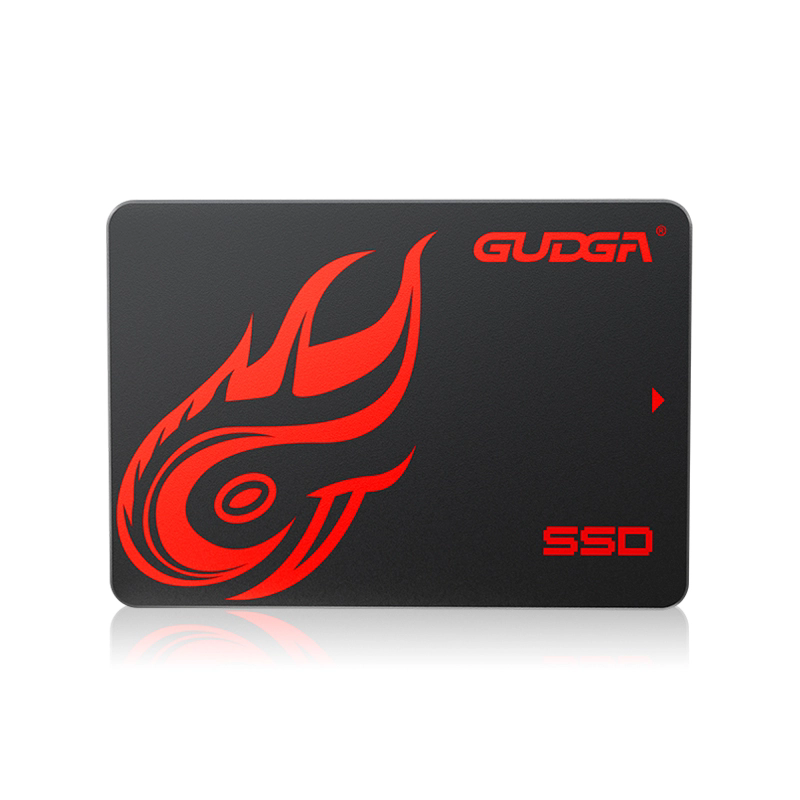
Laptop desktop SATA3 SSD

Table of Contents

  1. How Does a 2.5 SATA SSD Improve Everyday Computing?
  2. What Is a 2.5 SATA SSD?
  3. How Does a 2.5 SATA SSD Solve Common Storage Problems?
  4. Which Specifications Matter When Choosing a 2.5 SATA SSD?
  5. How Should You Choose the Right SSD Capacity?
  6. How Can You Check 2.5 SATA SSD Compatibility?
  7. Where Can a 2.5 SATA SSD Be Used?
  8. How Does GUDGA Approach 2.5 SATA SSD Quality?
  9. How Does a 2.5 SATA SSD Compare with an HDD?
  10. How Can You Upgrade to a 2.5 SATA SSD?
  11. How Can You Maintain Long-Term SSD Reliability?
  12. How Should Businesses Purchase 2.5 SATA SSDs in Bulk?
  13. Frequently Asked Questions
  14. Conclusion

Article Outline

  • Storage fundamentals: Understand the form factor, SATA interface, NAND flash, and controller.
  • Performance considerations: Learn how sequential speed, random performance, capacity, and firmware influence real-world operation.
  • Compatibility: Identify the interface, physical dimensions, mounting requirements, and system limitations before purchasing.
  • Application selection: Match capacity and specifications with office, home, upgrade, multimedia, and commercial requirements.
  • Procurement: Evaluate quality control, consistency, customization, warranty support, and supplier capability for larger orders.

How Does a 2.5 SATA SSD Improve Everyday Computing?

For users dealing with slow boot times, delayed application launches, noisy hard drives, or aging computers, replacing a conventional HDD with a 2.5 SATA SSD can provide a noticeable improvement without requiring a complete hardware replacement.

The biggest advantage is the removal of mechanical components. An HDD depends on spinning platters and a moving read/write head, while an SSD stores data in NAND flash memory. Because there are no spinning disks or mechanical heads, an SSD can access data electronically and respond much faster to many everyday operations.

A 2.5 SATA SSD is particularly useful when a computer still relies on a SATA storage interface but needs a modern storage upgrade. The mature SATA ecosystem also makes this format practical for older laptops, desktop computers, compact systems, and compatible external enclosures.

GUDGA's 2.5 SATA SSD product range is designed around this practical upgrade requirement, with capacity options and configurations intended for personal computing, office systems, storage expansion, and bulk procurement.


What Is a 2.5 SATA SSD?

A 2.5 SATA SSD is a solid-state storage device using the standard 2.5-inch drive form factor and SATA interface. SATA III provides a theoretical interface bandwidth of up to 6 Gb/s, although actual SSD performance depends on the controller, NAND flash, firmware, workload, and host system.

The 2.5-inch format has become widely adopted because it provides a practical balance between physical size, compatibility, capacity, and manufacturing cost. Many laptops and desktops designed around SATA storage can accommodate this type of drive.

The main internal components generally include:

  • NAND flash memory: Stores user data without requiring continuous power.
  • SSD controller: Manages data access, flash translation, error correction, and other storage operations.
  • Firmware: Controls how the SSD manages data and communicates with the host system.
  • DRAM or other memory architecture: Depending on the product design, additional memory resources may assist storage management.
  • SATA interface: Provides communication between the SSD and the computer.
  • Protective enclosure: Houses the electronics and provides the mechanical structure required for installation.

Unlike an HDD, an SSD has no rotating platter or moving actuator. This difference contributes to silent operation, lower mechanical vulnerability, and faster access to stored data.


How Does a 2.5 SATA SSD Solve Common Storage Problems?

Storage upgrades are often driven by practical problems rather than benchmark numbers. A computer may still have a capable processor and sufficient memory, yet feel slow because its storage device creates a bottleneck.

A properly selected 2.5 SATA SSD can address several common problems.

Common Problem How an SSD Helps Typical User Benefit
Slow system startup Faster storage access reduces loading delays Quicker boot and login experience
Long application loading Electronic flash access reduces storage latency Applications open more responsively
HDD noise No spinning disks or mechanical heads Quieter operation
Mechanical vibration No moving storage mechanism Better resistance to everyday movement
High storage power demand Flash storage can operate with lower power requirements Useful for portable computers
Aging computer performance Modern flash storage can replace an older HDD Extended practical life of compatible hardware

The improvement is especially apparent during frequent small-file operations, operating-system startup, application launches, and file access. However, users should remember that an SSD cannot eliminate limitations caused by an outdated CPU, insufficient RAM, poor cooling, or an obsolete operating system.


Which Specifications Matter When Choosing a 2.5 SATA SSD?

Choosing an SSD solely by its advertised maximum read speed can lead to disappointing results. A better purchasing decision considers several specifications together.

1. Sequential Read and Write Speed

Sequential performance describes how quickly large blocks of continuously stored data can be transferred. It is relevant when copying large files, loading media, transferring backups, and handling other data-intensive sequential workloads.

GUDGA's product information indicates that its SATA SSD models can reach sequential read performance of approximately 450 MB/s to 560 MB/s and sequential write performance of approximately 400 MB/s to 540 MB/s depending on the specific model and configuration. Actual results vary according to capacity, host hardware, workload, firmware, and testing conditions.

2. Random Read and Write Performance

Random I/O performance is important for operating systems and applications because computers frequently access many small files rather than one large continuous file.

When comparing models, examine 4K random read and write performance in addition to sequential speed. A drive with balanced random performance can feel responsive during normal office and desktop workloads.

3. NAND Flash Type

NAND technology affects endurance, density, cost, and performance characteristics. TLC NAND is commonly used for consumer-oriented SSDs because it offers a practical balance between cost and performance. Some entry-level products may use QLC NAND to increase storage density and reduce cost.

4. Capacity

Capacity should be selected according to the operating system, applications, personal files, and expected future growth. Choosing a drive that is too small may force frequent file management, while excessive capacity can increase procurement costs unnecessarily.

5. Form Factor and Thickness

A standard 2.5-inch SSD may be available in different thickness configurations. A 7 mm design is particularly useful for slim laptops and compact systems, but compatibility should always be verified before installation.

6. Endurance and Reliability

Write endurance matters when an SSD experiences frequent data changes. For typical office and home use, consumer-grade endurance may be sufficient. Workloads involving continuous recording, heavy write operations, or industrial environments may require a more specialized SSD category.


How Should You Choose the Right SSD Capacity?

Capacity selection should begin with the intended workload rather than the lowest available purchase price.

Capacity Suitable Scenario Purchasing Consideration
128GB Basic systems and lightweight applications Suitable where storage requirements are limited
256GB Basic office and personal computing Good entry-level system-drive option
512GB General office, home, and everyday computing Balanced capacity for many users
1TB Business computers, applications, media, and larger files Practical choice for long-term everyday use
2TB Professional files, multimedia, and larger storage libraries Useful where future capacity growth is expected
4TB Large media collections and extensive file storage Higher capacity for users prioritizing storage space

For many office computers, 512GB or 1TB provides a practical balance between operating-system requirements, applications, documents, and future storage growth. Businesses deploying large numbers of computers may select 1TB or 2TB configurations depending on their software and data requirements.


How Can You Check 2.5 SATA SSD Compatibility?

Compatibility should be confirmed before purchasing, especially when upgrading older equipment.

  1. Check the storage interface: Confirm that the computer supports a SATA storage connection.
  2. Check the physical bay: Verify that the system accepts a 2.5-inch drive.
  3. Check thickness requirements: Slim laptops may require a 7 mm drive.
  4. Check mounting hardware: Some systems require a specific bracket, tray, or adapter.
  5. Check operating-system support: Ensure that the operating system can recognize and initialize the new storage device.
  6. Check BIOS or UEFI settings: Older computers may require storage configuration adjustments.
  7. Back up existing data: Always create a verified backup before replacing or cloning a system drive.

SATA generations are generally designed with backward compatibility in mind, but an older host can limit the maximum achievable transfer rate. Therefore, installing a newer SSD in an older SATA environment does not necessarily mean the system will operate at the SSD's maximum advertised speed.


Where Can a 2.5 SATA SSD Be Used?

The broad compatibility of the 2.5-inch SATA format makes it useful across many everyday and commercial environments.

  • Laptop upgrades: Replace aging HDDs and improve system responsiveness.
  • Desktop computers: Upgrade system drives or add relatively compact secondary storage.
  • Office computers: Support operating systems, productivity software, documents, and business applications.
  • Home multimedia systems: Store photos, videos, music, and personal files.
  • Small business deployments: Standardize storage across multiple compatible computers.
  • External storage: Install the SSD in a compatible 2.5-inch SATA enclosure.
  • System refurbishment: Improve older computers before redeployment.
  • Reseller inventory: Provide commonly requested capacities to downstream customers.

For demanding enterprise, surveillance, embedded, or industrial workloads, buyers should carefully assess whether a consumer-grade SSD is appropriate. Continuous high-write workloads can require different endurance, thermal, firmware, and qualification requirements.


How Does GUDGA Approach 2.5 SATA SSD Quality?

GUDGA focuses on consumer-grade 2.5 SATA SSD solutions that emphasize compatibility, practical performance, stability, and cost efficiency. Its product range includes capacities from entry-level configurations through larger storage options, allowing buyers to match the drive with different usage scenarios.

According to GUDGA's product information, its consumer-grade 2.5-inch SATA SSDs use selected NAND flash components and are tested before being supplied. The product range supports SATA 3.0 and is also designed to work with compatible SATA 2.0 systems. The company also describes support for features such as TRIM and S.M.A.R.T. monitoring.

For bulk buyers, consistency is often more important than simply obtaining the lowest unit price. A storage supplier should be able to communicate product specifications clearly, maintain consistent configurations, provide appropriate quality-control processes, and offer responsive after-sales support.

GUDGA also positions its 2.5 SATA SSDs for wholesale and bulk procurement, with options intended for distributors, resellers, office deployments, and other buyers that require multiple units.


How Does a 2.5 SATA SSD Compare with an HDD?

Feature 2.5 SATA SSD Traditional HDD
Storage technology NAND flash Magnetic platters
Moving parts None Yes
Access response Low latency Higher mechanical latency
Noise Silent Mechanical operating noise
Vibration resistance Generally stronger against mechanical shock More sensitive to mechanical movement
Power characteristics Generally lower during operation Higher mechanical power requirements
Best upgrade role System responsiveness and everyday computing Cost-focused high-capacity bulk storage

This does not mean SSDs replace HDDs in every application. HDDs can remain attractive for certain high-capacity, cost-sensitive archival applications. The correct choice depends on access patterns, capacity requirements, endurance expectations, budget, and system architecture.


How Can You Upgrade to a 2.5 SATA SSD?

A typical upgrade can be straightforward, but protecting the original data should always be the first priority.

  1. Back up important files. Keep an independent copy of important documents, photos, and other irreplaceable data.
  2. Confirm the new drive's compatibility. Check the interface, physical dimensions, capacity, and mounting requirements.
  3. Decide whether to clone or reinstall. Cloning can preserve the existing operating environment, while a clean installation can remove accumulated software problems.
  4. Install the SSD. Follow the computer manufacturer's hardware instructions and disconnect power before opening the system.
  5. Initialize or clone the drive. Use appropriate operating-system or disk-management software.
  6. Verify the boot configuration. Make sure the system recognizes the SSD correctly.
  7. Check the installation. Confirm storage capacity, operating temperature, health information, and basic performance.

When migrating an existing operating system, users should verify that the cloned partition structure and boot configuration are correct before formatting or removing the original drive.


How Can You Maintain Long-Term SSD Reliability?

Although SSDs do not contain mechanical moving parts, they still require sensible management.

  • Maintain sufficient free space: Avoid operating the drive continuously at near-maximum capacity.
  • Enable TRIM when supported: TRIM helps the operating system communicate which blocks are no longer needed.
  • Monitor drive health: Use appropriate S.M.A.R.T. or manufacturer-supported monitoring tools.
  • Maintain backups: SSDs are not immune to controller failures, NAND degradation, firmware problems, accidental deletion, or other forms of data loss.
  • Control operating temperature: Excessive heat can affect storage performance and component longevity.
  • Use appropriate workloads: Select an SSD class that matches the intensity and write characteristics of the application.
  • Keep firmware current when appropriate: Follow the supplier's recommendations for firmware updates.

The most important principle is simple: an SSD should never be treated as the only copy of valuable information. Storage reliability and data backup are separate responsibilities.


How Should Businesses Purchase 2.5 SATA SSDs in Bulk?

Bulk procurement introduces requirements that individual consumers may not encounter. A purchasing manager should evaluate the complete supply relationship rather than comparing unit prices alone.

Procurement Factor What to Verify
Product consistency Confirm that repeated orders maintain agreed specifications and configurations.
Capacity range Determine whether the supplier can support the capacities required for different projects.
Quality control Ask about incoming component inspection, production testing, and final verification.
Compatibility Verify SATA interface, dimensions, firmware behavior, and host-system requirements.
Customization Discuss labeling, packaging, branding, or configuration requirements when applicable.
Warranty and support Clarify warranty terms, technical communication, and after-sales procedures before ordering.
Lead time Confirm production schedules and delivery expectations for recurring orders.

For distributors and resellers, stable product specifications are particularly important because inconsistent components can complicate inventory management and customer support. For corporate deployments, predictable performance and compatibility can reduce installation and maintenance workload.

GUDGA presents its 2.5 SATA SSD range as a solution for bulk procurement, including products intended for resellers, distributors, and business computer deployment.


Frequently Asked Questions About 2.5 SATA SSDs

Is a 2.5 SATA SSD compatible with every laptop?

No. Compatibility depends on the laptop's internal storage bay, SATA interface, physical clearance, mounting structure, and system design. Check the laptop manufacturer's specifications before purchasing.

Can a 2.5 SATA SSD replace an HDD?

Yes, in systems designed to accept a compatible 2.5-inch SATA drive. The SSD can serve as a system drive or secondary storage depending on the computer's configuration.

Is SATA SSD faster than HDD?

For most everyday computing tasks, a SATA SSD provides substantially lower storage latency and faster responsiveness than a traditional mechanical HDD. The exact performance difference depends on the specific drives and workload.

What capacity is best for an office computer?

For many office systems, 512GB or 1TB is a practical starting point. Larger capacities may be preferable when users store substantial media, project files, databases, or other local data.

Does a 2.5 SATA SSD work with SATA 2?

A compatible SATA SSD can generally operate on an older SATA interface, but the host interface can limit maximum transfer performance. Always verify the specific computer and SSD specifications.

Does an SSD need special drivers?

For common consumer systems, SATA SSDs are generally designed for straightforward installation and standard operating-system support. However, system configuration and operating-system requirements should still be checked.

Is 2.5 SATA SSD suitable for gaming?

Yes. It can provide faster game loading and system responsiveness compared with many HDDs. However, users seeking the highest storage performance for modern systems may consider NVMe SSDs when the motherboard supports them.

What makes GUDGA 2.5 SATA SSDs suitable for bulk buyers?

GUDGA focuses on consumer-grade 2.5 SATA SSD products with a range of capacities and configurations for personal use, office computers, upgrades, and bulk procurement. Buyers can discuss their required specifications, quantities, branding, and application requirements with the supplier.


Conclusion

A 2.5 SATA SSD remains a practical storage solution because it combines a widely adopted form factor, mature SATA connectivity, solid-state reliability characteristics, low operating noise, and responsive everyday performance. For users upgrading older computers, the right SSD can provide a significant improvement without requiring a complete system replacement.

The best purchasing decision is not necessarily the drive with the highest advertised speed. Instead, evaluate the complete solution: compatibility, NAND type, controller, sequential and random performance, capacity, endurance, firmware behavior, operating temperature, warranty, supplier consistency, and application requirements.

For personal users, a 512GB or 1TB model can provide a balanced combination of capacity and cost for many everyday systems. For organizations and resellers, 1TB, 2TB, or larger configurations may be more appropriate depending on deployment requirements.

GUDGA provides a range of 2.5 SATA SSD solutions focused on practical compatibility, stable performance, and flexible capacity selection. Whether you are upgrading an aging laptop, preparing office computers, expanding home storage, or sourcing SSDs for wholesale distribution, selecting the right specification is the key to achieving reliable long-term value.

Looking for a dependable 2.5 SATA SSD supplier for your next project or bulk order? Contact GUDGA today to discuss capacity, specifications, customization, procurement requirements, and the right storage solution for your application. Please contact us for professional product information and a tailored quotation.

Related News
Leave me a message
X
We use cookies to offer you a better browsing experience, analyze site traffic and personalize content. By using this site, you agree to our use of cookies.Privacy Policy